
In development · iOS beta
The editing app for TrickCam
Your session.
One finished edit.
TrickCut carries TrickCam’s organization into the edit. Choose your best clips, cut precisely and build your video without sorting the footage all over again.
Not publicly available yet. Currently limited to selected iOS beta testers.
The advantage
Capture with structure.
Edit without the detour.
TrickCam already knows the session, rider and result behind every clip. TrickCut keeps using that structure. Makes, Bails, favorites and riders are ready where you need them.
TrickCamRecord & tag
TrickCutSelect, edit & export
The fast route to an edit
Prepare. Arrange.
Bring it together.
Select your clips, prepare each one and bring them together in your edit. The interfaces shown are development previews and may change before release.
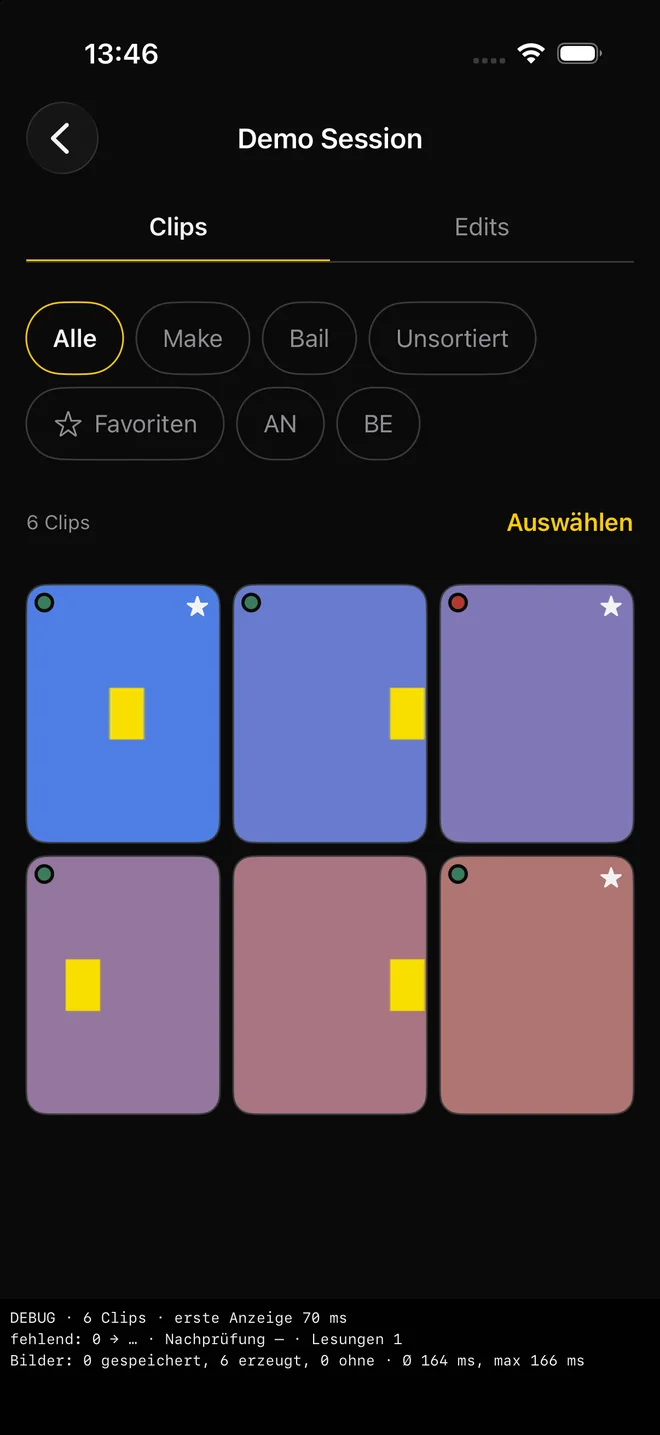
01
Choose what matters.
Filter by Make, Bail, favorites or rider. Only clips you explicitly select go into your edit.
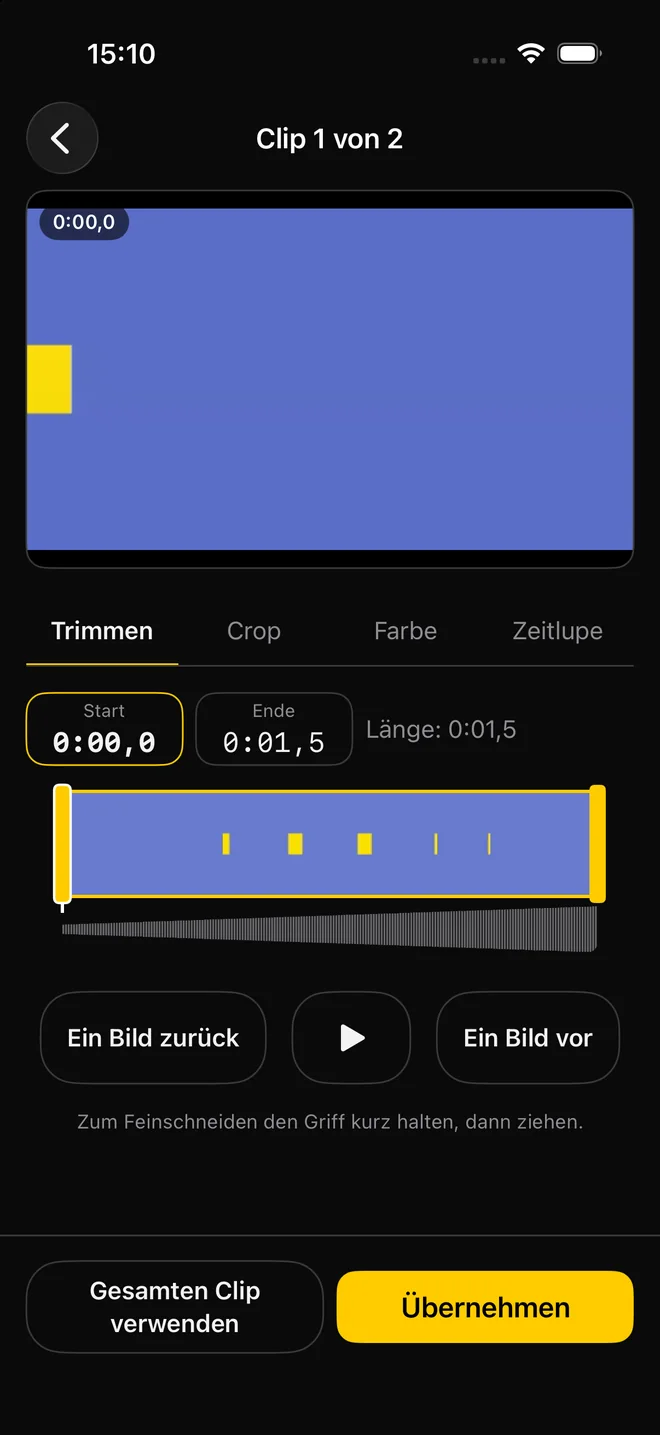
02
Prepare every clip precisely.
Trim frame by frame, use filmstrip and waveform, and deliberately confirm what should be included.
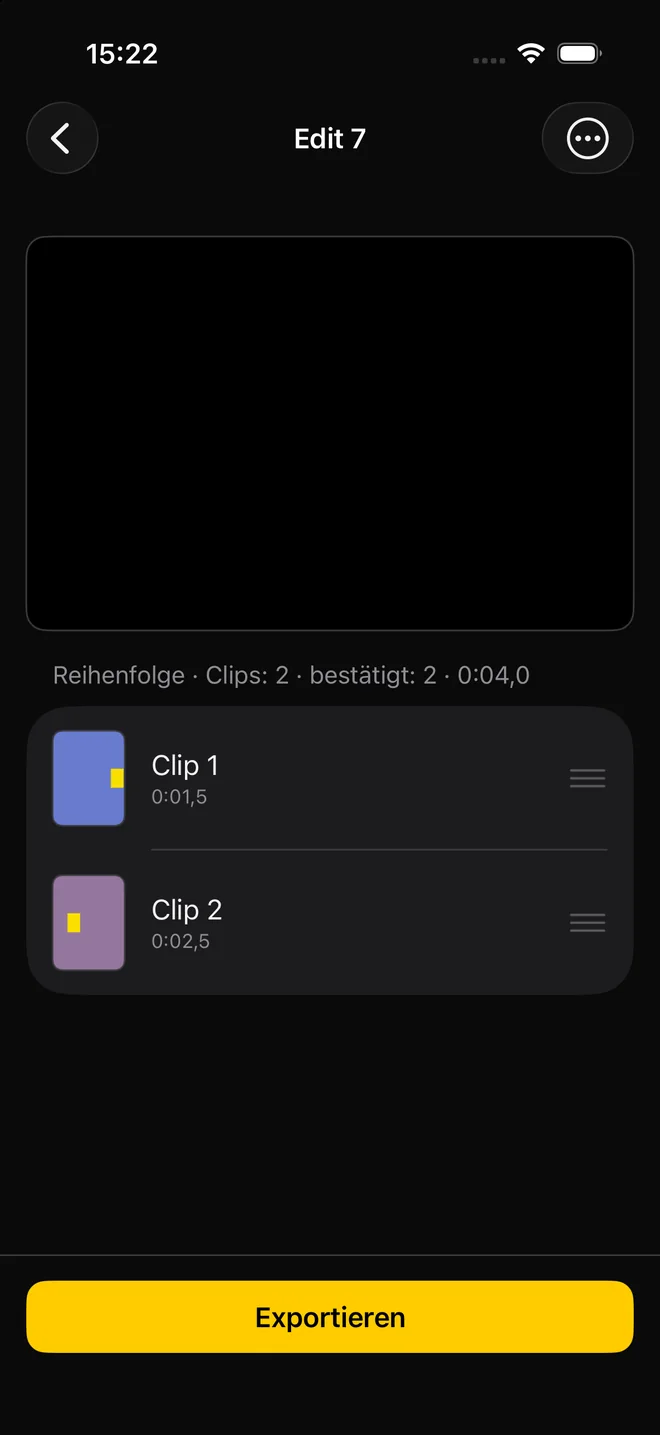
03
Set the order. Export.
Arrange clips by drag and drop and create a clean quick edit for your next post.
Development preview · Design and feature scope may change.
Planned for version 1
Everything for a complete
quick edit.
The planned base version stays focused: select the footage from your session, prepare it precisely and export without a watermark. No subscription is planned for the base quick edit.
Frame-accurate trim & split
Make a quick rough trim or refine frame by frame, with a filmstrip and audio waveform.
Crop, color & slow motion
Crop, brightness, contrast, saturation and warmth per clip, plus constant slow motion.
Quick edit with a clear order
Place confirmed clips back to back, reorder by drag and drop and keep editing at any time.
One format for your destination
9:16, 1:1 or 16:9. For Dual recordings, TrickCut automatically chooses the matching TrickCam version.
Export up to 4K/60
Planned in HEVC, without a watermark and as a new file, so existing exports are never overwritten.
Drafts instead of lost work
Non-destructive settings stay editable. The original videos in your TrickCam session are never changed.
TrickCut Plus
More control.
Made for skate edits.
TrickCut Plus is planned for the first release. These tools are still in development; details and pricing are not final.
01
A clear multitrack timeline
One gapless main video track, one additional video track and separate tracks for original sound, music and more audio.
Beat Sync with your decision
Locally detected beats remain adjustable. Mark the landing yourself and align the video clip to the beat you choose.
Tap the pop. Get the ramp.
The planned Pop Ramp automatically moves from normal speed into slow motion and back. Speed, length and smoothness remain adjustable.
Multitrack timeline, Beat Sync and Pop Ramp are development goals, not claims of already released features.
Your footage stays yours
Local by design.
From day one.
TrickCut is planned without accounts, cloud services or tracking. It reads the TrickCam sessions you approve, stores its own drafts and exports in each Edits folder, and changes neither original clips nor session.json.
Approve the TrickCam folder once, then work directly with your existing sessions.
Drafts, metadata and exports stay on your device.
TrickCut follows your selection. AI does not decide what counts as a Make or Bail.
Current product status
iPhone first.
Android later.
- Platform
- iPhone · iOS 17 or later
- Status
- In development · closed iOS beta
- Source
- TrickCam sessions in an approved on-device folder
- Launch languages
- All 13 TrickCam languages are planned
- Android
- Planned after the iOS version · not currently available
In development · iOS beta
Session. Edit. Done.
TrickCut is being developed with selected iOS beta testers. A public download will follow only at release.